Connect through ODBC
ODBC is the general route to a source that has no dedicated dialog in Tabular Editor. PostgreSQL, MySQL, MariaDB and IBM Db2 are all reached this way, and Tabular Editor recognizes each of them well enough to generate the right M expression and quote identifiers the way that database expects.
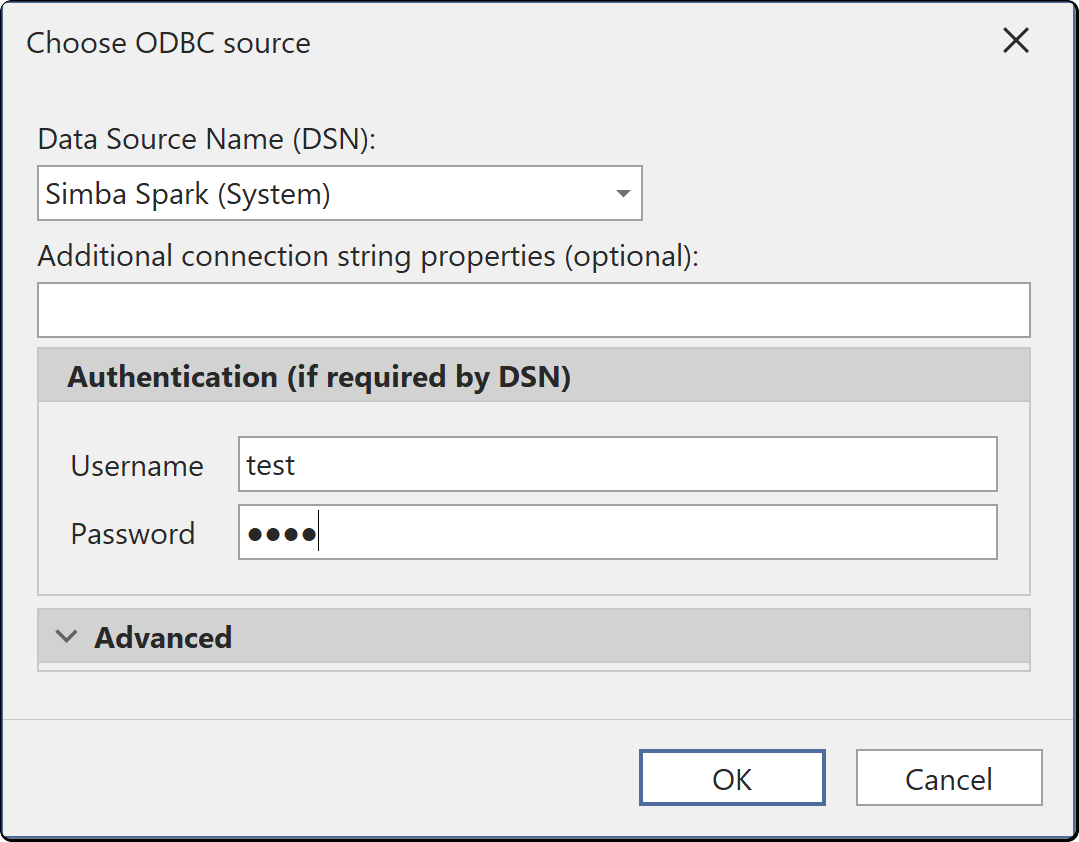
Authenticators
ODBC has no authenticator list of its own. How you sign in is decided by the driver and by the DSN you point at.
| Field | What it is |
|---|---|
| Data source name (DSN) | A DSN configured in the Windows ODBC Data Source Administrator |
| User name and Password | Supplied to the driver where the DSN does not already carry credentials |
| Additional options | Extra connection string settings, passed through to the driver unchanged |
Whether the connection can be re-established without a person present is therefore a question about the driver, not about Tabular Editor. A DSN carrying integrated authentication or a stored service account reconnects on its own; one that prompts does not.
Note
A DSN is per machine. A model that imports through a DSN only refreshes on a machine where a DSN of the same name exists, which is worth planning for before a build agent is involved. Use a System DSN rather than a User DSN where a service account will run the refresh.
Drivers must match the architecture
Tabular Editor 3 is a 64-bit application on x64 and ARM64, so it sees 64-bit ODBC drivers and 64-bit DSNs. A DSN created in the 32-bit ODBC administrator does not appear in the list. Windows ships both administrators, so check which one you used if a DSN you just created is missing.
Where the credentials are stored
Credentials you enter here are saved per user and per model in the user options file (.tmuo) beside the model, encrypted so that only your Windows account can read them. They are not part of the model metadata, so they are not committed to source control and a colleague opening the same model supplies their own.
The generated M expression names the server and the object only. It never contains a password, a token or a key.