Connect to SQL Server
Covers SQL Server, Azure SQL Database, Azure SQL Managed Instance and Azure Synapse. Start from Model > Import tables... and choose a SQL Server source.
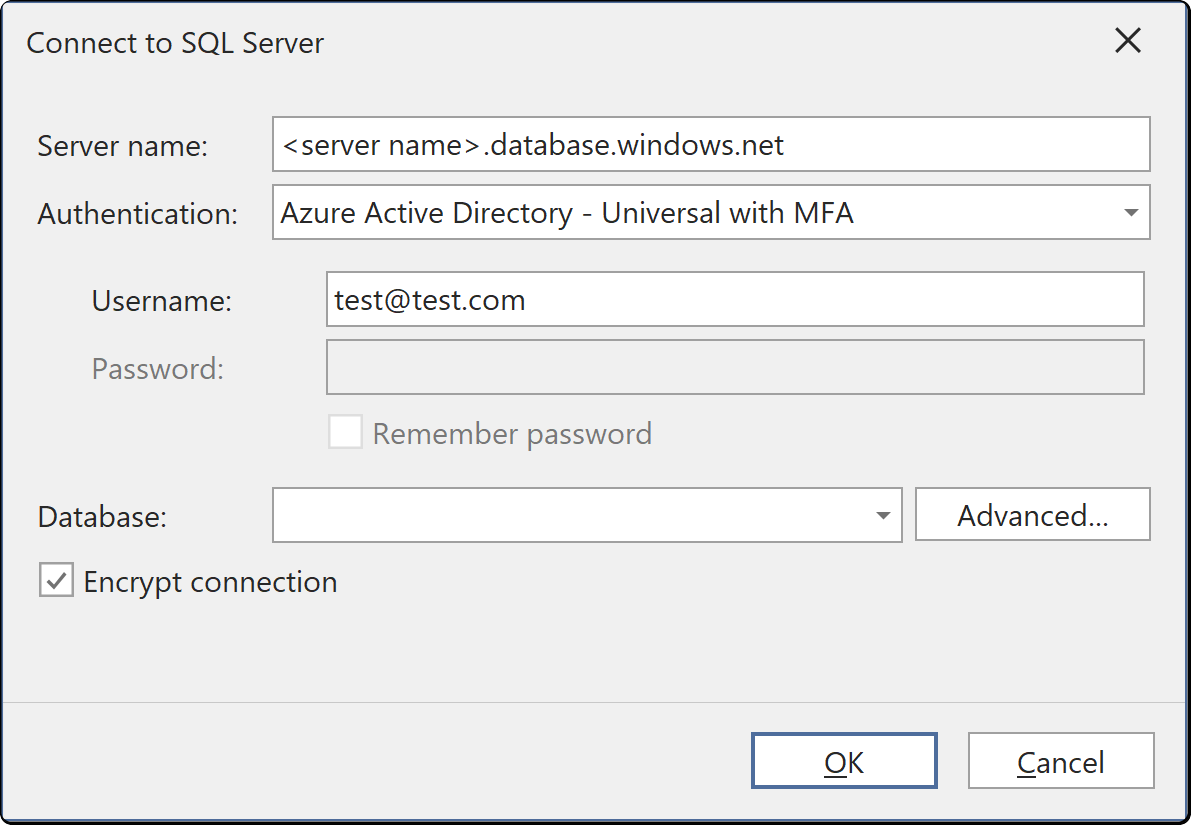
Authenticators
| Authentication | What you supply | Notes |
|---|---|---|
| SQL Server Authentication | User name and password | A login defined on the server itself, not in your directory |
| Windows Authentication | Nothing | Uses the Windows account Tabular Editor is running as |
| Azure Active Directory - Universal with MFA | A browser sign-in | The only mode that prompts. Use it for interactive work, not for a scheduled job |
| Azure Active Directory - Password | User name and password | A directory account. Fails where the account requires multi-factor authentication |
| Azure Active Directory - Integrated | Nothing | Uses the directory account you are signed in to Windows with, where the machine is joined to the directory |
| Azure Active Directory - Service Principal | Application (client) ID and secret | The usual choice for unattended refresh |
The two integrated modes take no user name or password, and Tabular Editor clears both fields when you select one.
Encryption
Encrypt connection controls whether the connection requires TLS. Azure SQL requires it. Leave it on unless you are connecting to an on-premises server with no certificate, in which case the connection fails with a certificate error until you either install a certificate or turn this off.
Saving the password
Save password stores the password for next time. With it cleared, you are asked again the next time the model needs the source.
Where the credentials are stored
Credentials you enter here are saved per user and per model in the user options file (.tmuo) beside the model, encrypted so that only your Windows account can read them. They are not part of the model metadata, so they are not committed to source control and a colleague opening the same model supplies their own.
The generated M expression names the server and the object only. It never contains a password, a token or a key.